AppleCare+ Repairs in Charleston, WV: What’s Covered and How Drop-Off Works
If you have AppleCare+ on your iPhone, iPad or Mac, you probably don’t think about it until something goes wrong. Is a cracked screen covered? What about a spill? Do I have to drive to an Apple Store, or can I get it handled here in Charleston?
We’re Computers Plus, an Apple Authorized Service Provider on RHL Boulevard, and we’ve been fixing computers for Charleston-area customers since 1980. Here’s a plain-language rundown of what AppleCare+ covers, based on Apple’s own pages, and how dropping a device off with us works.
What AppleCare+ covers
Apple sets the terms of AppleCare+, not the repair shop, so the best source is always Apple’s AppleCare page. According to Apple, AppleCare+ plans include:
- Accidental damage, with no limit on the number of incidents. Drops, cracked screens and spills count. Apple notes that liquid damage is covered as part of accidental damage protection. Each incident carries a service fee set by Apple.
- Battery service. For covered products with a battery, Apple says a battery replacement is covered at no extra charge if the battery holds less than 80 percent of its original capacity (AppleCare page).
- Extended hardware coverage. Most Apple products come with one year of hardware coverage under Apple’s limited warranty. AppleCare+ extends that coverage for defects in materials or workmanship, and Apple states there are no service fees for mechanical failures (AppleCare page).
- Included accessories. Apple says plans cover the cables and power adapter that came in the box. For iPad, coverage also extends to one Apple Pencil and one Apple-branded iPad keyboard used with the covered iPad.
What it doesn’t cover (or covers differently)
A few things surprise people:
- Service fees still apply to accidental damage. AppleCare+ doesn’t make an accident free. You pay a service fee for each incident. The fees depend on the product and the kind of damage, and Apple can change them. Apple lists the current amounts on its AppleCare page and in its AppleCare service fees and deductibles list.
- Theft and loss is separate coverage. Standard AppleCare+ doesn’t include it. Apple says theft and loss coverage applies to iPhone, iPad and Apple Watch, and only with an AppleCare+ with Theft and Loss plan or an AppleCare One plan. It’s offered only in the countries Apple lists, which include the United States. Find My has to be turned on when the device goes missing and stay on through the claim, and each claim has a deductible. Apple ships the replacement to you, and it can’t be picked up at a store, so a lost or stolen device isn’t something a repair shop can process. (Sources: Apple’s AppleCare page and Theft and Loss coverage page.)
- Damage from a non-authorized repair. Apple says damage caused by a non-authorized repair provider isn’t covered by Apple’s limited warranty or an AppleCare plan. That’s one of the reasons it matters who opens your device. We wrote more about that in Apple Authorized vs. independent repair shops.
Not sure if your device is still covered? On iPhone, iPad or Mac, Apple says to open Settings > General > AppleCare & Warranty (Apple Support). You can also enter your serial number at Apple’s coverage check page.
Why the repair shop matters for AppleCare+
This is the part a lot of people don’t know. Apple’s repair page says that only repairs performed directly by Apple or by an Apple Authorized Service Provider are covered by Apple’s limited warranty and AppleCare plans. Apple describes Authorized Service Providers as shops whose technicians receive Apple training and use genuine Apple parts, tools and diagnostics.
So if you’re in Charleston and want your AppleCare+ coverage to work for you, you have two routes: an Apple Store, or an Apple Authorized Service Provider. We’re one of the second: Computers Plus handles AppleCare+ repairs for Mac, iPhone and iPad in store, right here in Charleston. You can confirm any shop’s status on Apple’s repair provider lookup.
How drop-off works at Computers Plus
All of our repairs are handled in store. There’s no online booking. You just bring your device in during store hours.
1. Bring it to us for AppleCare+ service. We handle AppleCare+ repairs for Mac, iPhone and iPad in store at 301 RHL Boulevard Suite 2, Charleston, WV 25309. Walk-in drop-off is Monday through Friday, 9 AM to 5 PM. Apple decides what your plan covers and sets the service fee, and you can see Apple’s current fees on its AppleCare page.
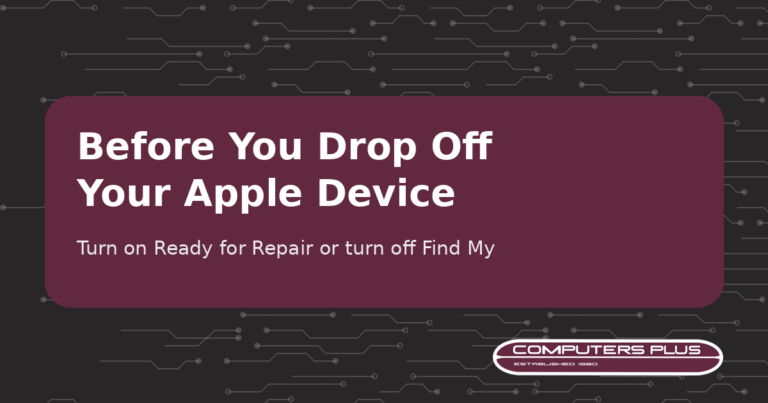
2. Get your device ready. Back it up. Then either turn on Ready for Repair or Trade In (iOS 27, iPadOS 27, macOS 27 or later) or turn off Find My (version 26 or earlier). Our step-by-step guide walks through both. Know your passcode and Apple Account password, but never hand them to anyone, including us. If a technician needs them for software support, you’ll be asked to enter them yourself.
3. Bring the right things. Your device, its charger, any accessory related to the problem, your sales receipt if you have it (some repairs require proof of purchase) and a photo ID. The full checklist is on our Contact & Drop-Off page.
4. Drop it off. We’re at 301 RHL Boulevard Suite 2, Charleston, WV 25309, Monday through Friday, 9 AM to 5 PM. We’ll diagnose the problem and give you a quote. No repair work is performed until you approve the quoted price.
5. Check on it, then pick it up. Most repairs are completed within 3–5 business days after diagnostic approval and parts availability. Some repairs and special-order parts take longer. Online tracking is coming soon on our Track My Repair page. Until then, call us with your name or ticket number.
No AppleCare+? You still have options
If your plan has expired or you never bought one, we still repair Apple devices out of warranty. Common repair prices are on our pricing page, and you can read more on our Mac repair and iPhone & iPad repair pages. If your device is brand new, you may still be able to add AppleCare+. Apple says that in many places you can add it within 60 days of buying a new device, but which plans are offered and how long you have depend on your country or region and the device. Check Settings > General > AppleCare & Warranty, or see Apple’s article Get AppleCare coverage for your Apple device.
Bring it by
If your iPhone, iPad or Mac took a tumble, back it up, follow our prep guide, and stop by the shop. Questions first? Call us at 304.744.1832.
AppleCare+ details in this post come from Apple’s AppleCare and Apple Support pages as of October 2026. Apple sets and updates its plan terms and fees, so check the linked Apple pages for the latest.