Apple Authorized vs. Independent Repair Shops: Why It Matters for Your Mac, iPhone or iPad
When your iPhone screen cracks or your MacBook starts acting up, the first instinct is usually to find whoever can fix it fastest and cheapest. That’s fair. But with Apple devices, there’s one more question worth asking before you hand yours over: is this shop Apple Authorized?
We get asked about this a lot at Computers Plus. We’re an Apple Authorized Service Provider here in Charleston, and we’ve been repairing computers since 1980. So here’s an honest look at what “authorized” actually means, using Apple’s own definitions, and when it matters most.
Three kinds of repair shops
Apple’s repair provider page describes a few different kinds of shops. In plain terms:
Apple Authorized Service Providers (AASPs). Apple says these providers offer Apple-certified in-warranty and out-of-warranty repairs for Apple products. Their technicians receive Apple training and use only Apple genuine parts, tools, diagnostics and resources, and Apple says the repairs are backed by Apple.
Independent Repair Providers. This is a separate Apple program. Apple says these companies offer out-of-warranty repairs for iPhone and Mac, with access to genuine Apple parts, tools, training and diagnostics. They may offer their own warranties.
Other independent shops. Plenty of local repair shops aren’t part of either Apple program. Some do great work. But Apple has no role in how they source parts or train technicians, so you’ll want to ask them directly.
What actually changes: warranty and AppleCare+
The biggest practical difference shows up when your device is still under warranty or covered by AppleCare+.
Apple’s repair page puts it this way: only repairs performed directly by Apple or by an Apple Authorized Service Provider are covered by Apple’s limited warranty and AppleCare plans. Independent, non-authorized providers may have access to genuine parts, but Apple says their repairs aren’t Apple-authorized repairs covered by the limited warranty or AppleCare.
Apple adds one more line that’s worth knowing: any damage your device picks up from a non-authorized repair isn’t covered by Apple’s limited warranty or an AppleCare plan.
So if you’re paying for AppleCare+, using an Apple Store or an Authorized Service Provider is how you put that coverage to work. We break down what the plan covers in AppleCare+ repairs in Charleston.
Parts, training and diagnostics
Modern Apple devices are tightly built. Screens, batteries, cameras and Touch ID or Face ID hardware all have to work together. Apple’s program pages say Authorized Service Providers must use Apple-certified technicians, keep up certifications that Apple updates per product each year, and work from Apple’s service guides, tools and diagnostics. Apple also audits Authorized Service Providers to make sure they keep meeting its standards. (See Apple’s AASP program page for the details.)
For you, that mostly means fewer surprises. The repair is done with the parts and procedures Apple designed for your device.
When an independent shop might be fine
We’ll be straight with you: not every repair needs an Apple Authorized shop. If your device is long out of warranty, you don’t have AppleCare+, and you’re comfortable with the shop’s own parts and warranty, an independent shop may suit you. Apple even offers a Self Service Repair program for experienced people who want to do their own out-of-warranty repairs.
The key is knowing what you’re choosing. A few questions worth asking any shop:
- Are you an Apple Authorized Service Provider or an Independent Repair Provider?
- Will this repair affect my Apple warranty or AppleCare+ coverage?
- Where do your parts come from?
- What warranty do you offer on the repair itself?
How to check a shop’s status
You don’t have to take anyone’s word for it, including ours. Apple has a lookup tool where you can search for Apple Authorized Service Providers and Independent Repair Providers near you.
What we repair at Computers Plus
As an Apple Authorized Service Provider, we repair:
- Mac computers, including MacBook and iMac models. See Mac repair.
- iPhone repair, including screens, batteries and rear cameras, plus iPad repair. See iPhone & iPad repair.
- Apple devices for West Virginia K-12 schools, with pickup at your school and return delivery. See K-12 Apple device repair.
We also fix devices outside the Apple world, like Windows desktops and laptops (PC repair) and Xbox and PlayStation consoles (console repair). Prices for common repairs are on our pricing page, and no repair work is performed until you approve the quoted price.
Before you bring in an Apple device
A little prep goes a long way:
- Back up your device.
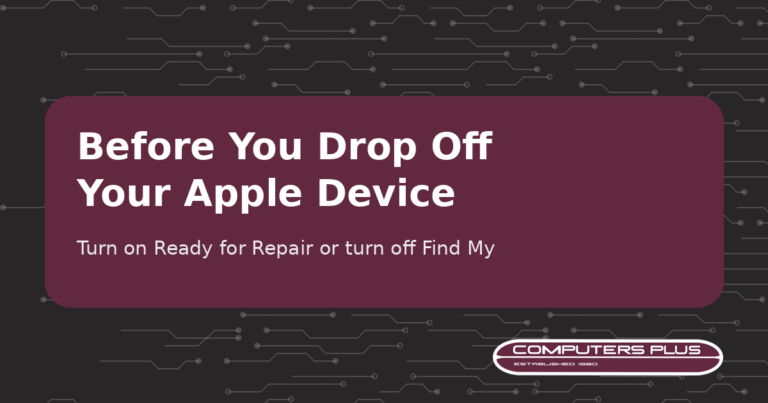
- Turn on Ready for Repair or Trade In (iOS 27, iPadOS 27, macOS 27 or later) or turn off Find My (version 26 or earlier). Our prep guide shows you how.
- Know your passcode and Apple Account password, but don’t share them. If they’re needed for software support, you’ll enter them yourself.
- Bring your receipt if you have it, since some repairs require proof of purchase, plus a photo ID.
Stop by the shop
All of our repairs are handled in store at 301 RHL Boulevard Suite 2, Charleston, WV 25309, Monday through Friday, 9 AM to 5 PM. Just walk in during store hours. If you’re not sure where your repair falls, call us at 304.744.1832 and we’ll point you in the right direction. Directions and a what-to-bring checklist are on our Contact & Drop-Off page.
Program descriptions in this post come from Apple Support pages as of October 2026. Apple can update its programs at any time, so check the linked pages for the latest.