
SMS Opt-In
Computers Plus – how customers opt in to text messages
Computers Plus, Inc. · 301 RHL Boulevard Suite 2, Charleston, WV 25309 · (304) 744-1832
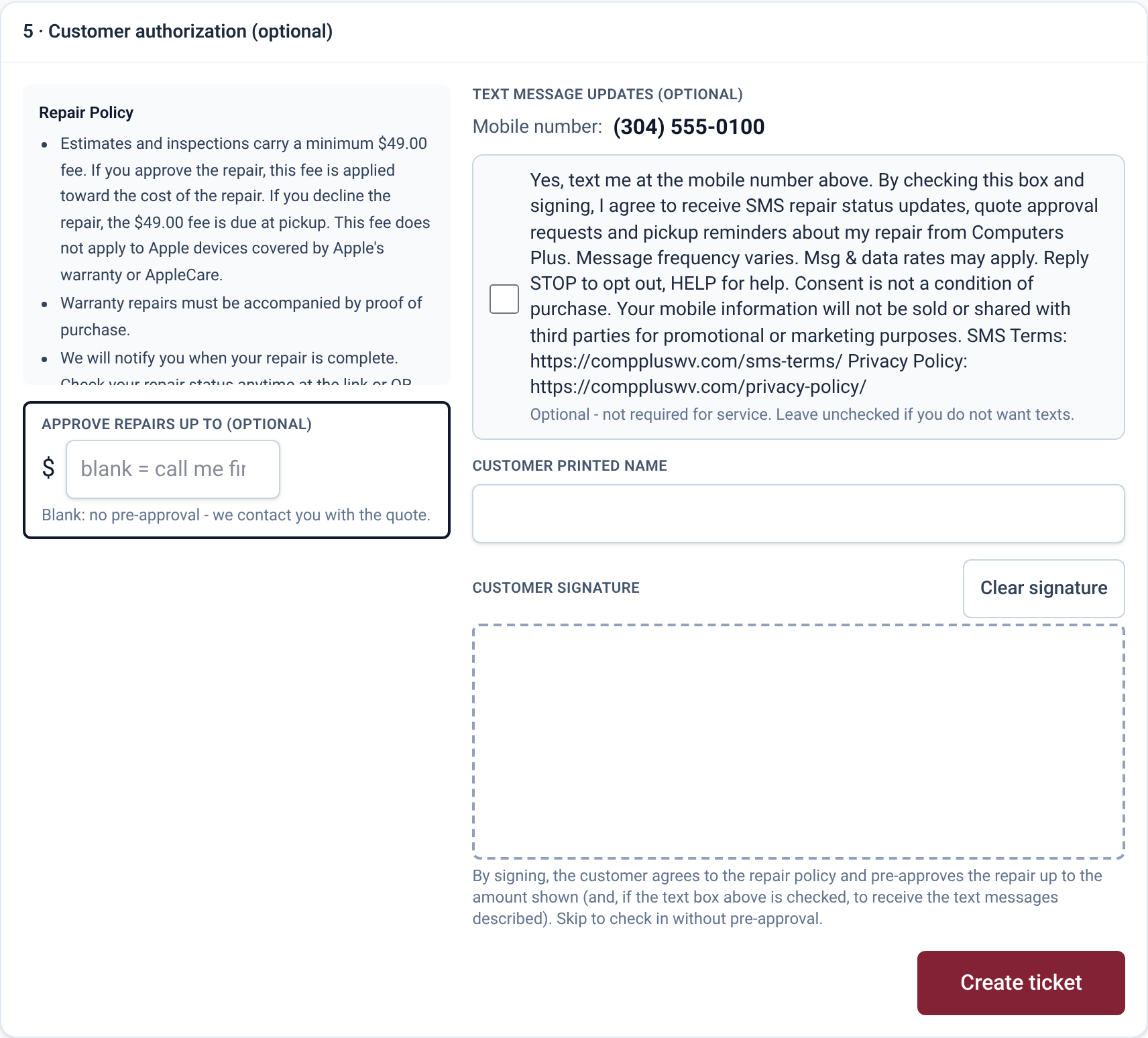
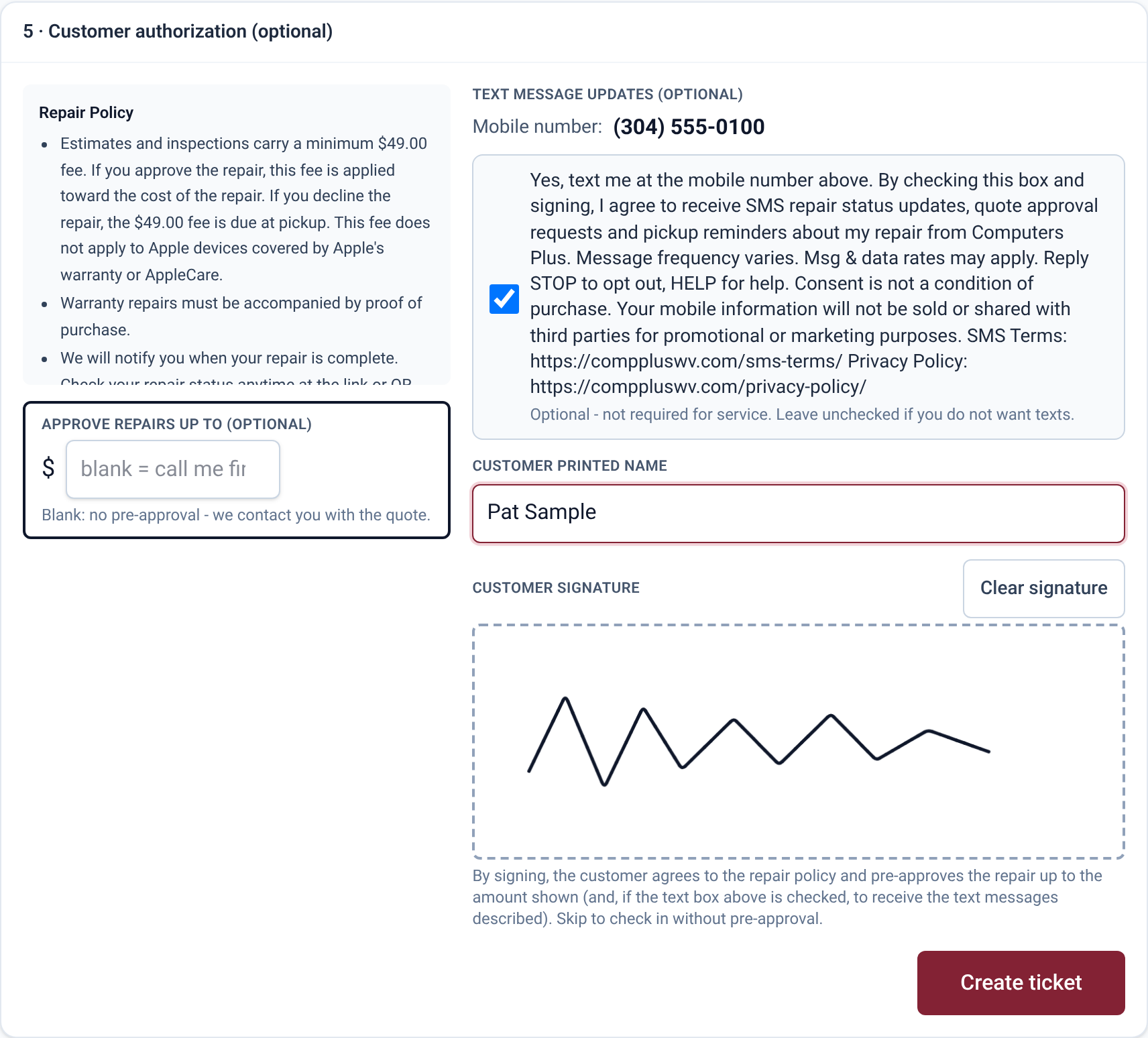
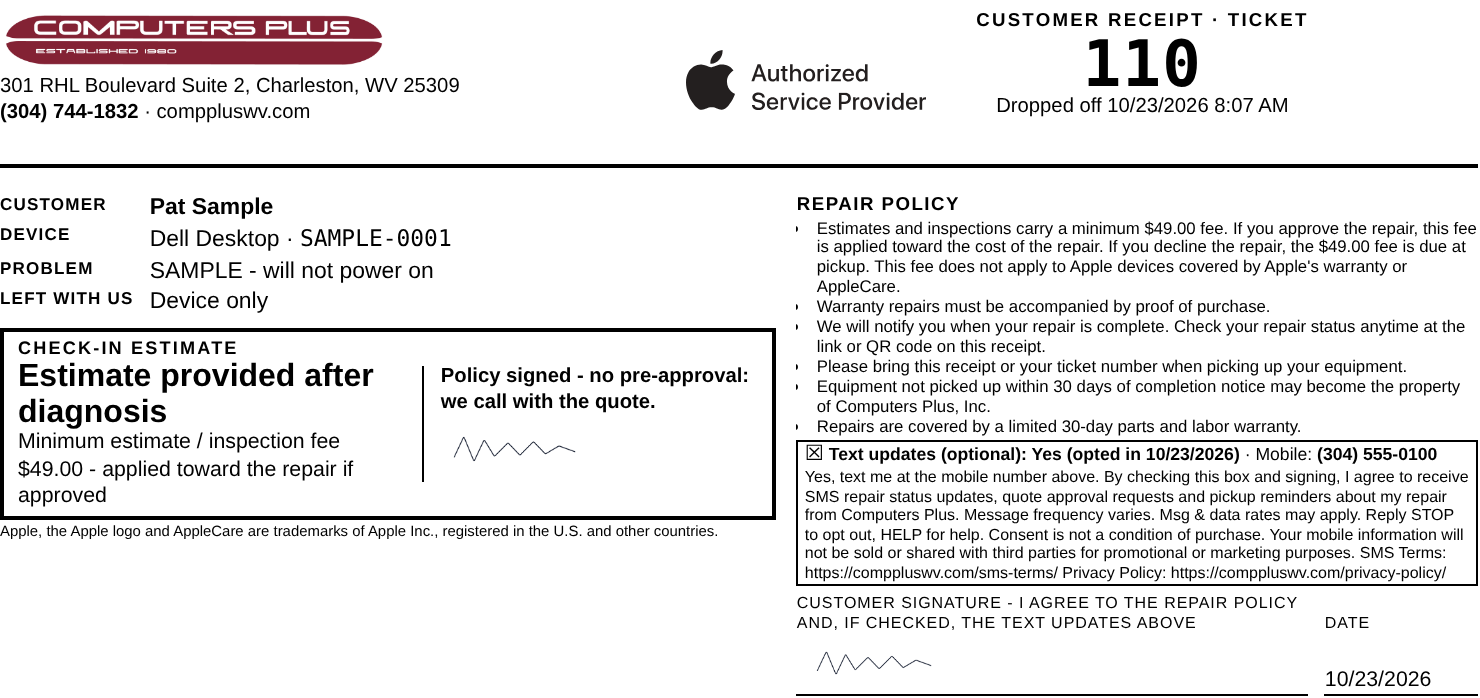
Customers opt in only in person, at device drop-off, on our check-in form. The customer sees their mobile number and an optional checkbox (unchecked by default), checks it if they want texts, and signs. The same opt-in section and signature print on the customer’s repair receipt. Leaving the box unchecked does not affect service.
Opt-in language on the form (verbatim):
Yes, text me at the mobile number above. By checking this box and signing, I agree to receive SMS repair status updates, quote approval requests and pickup reminders about my repair from Computers Plus. Message frequency varies. Msg & data rates may apply. Reply STOP to opt out, HELP for help. Consent is not a condition of purchase. Your mobile information will not be sold or shared with third parties for promotional or marketing purposes. SMS Terms: https://comppluswv.com/sms-terms/ Privacy Policy: https://comppluswv.com/privacy-policy/
Confirmation text sent right after opt-in:
Computers Plus: You’re signed up for repair updates for ticket #12345. Msg frequency varies. Msg & data rates may apply. Reply HELP for help, STOP to opt out.
1. Check-in form on the in-store iPad (before the customer opts in)
2. The same form, completed and signed by the customer
3. Printed repair receipt the customer signs and keeps
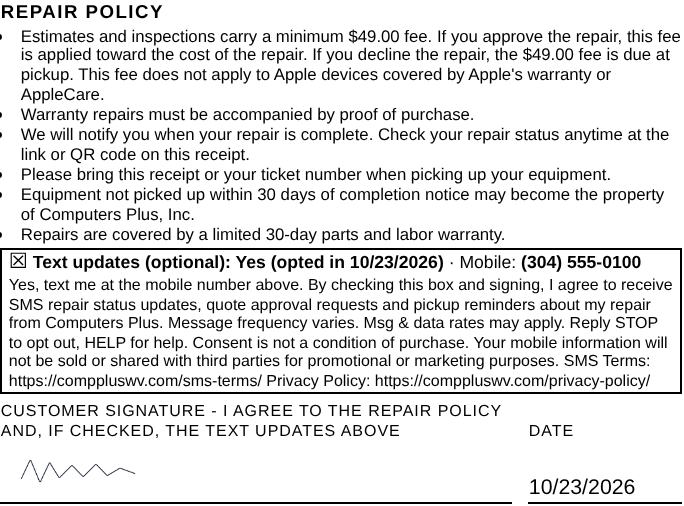
Download the opt-in proof (PDF)
SMS Terms: https://comppluswv.com/sms-terms/ · Privacy Policy: https://comppluswv.com/privacy-policy/
Images show sample data only (customer “Pat Sample”, (304) 555-0100), not a real customer.